Moto X3M Spooky Land — CalcBest
Moto X3M Spooky Land
Rate Moto X3M Spooky Land
Help other players discover great games. Click a star to rate.
About Moto X3M Spooky Land
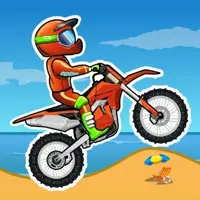
Moto X3M Spooky Land is the Halloween edition — graveyard backdrops, pumpkin obstacles, and skeleton traps. Difficulty is tuned a touch higher than the base game.
Racing games are the purest distillation of competitive gaming — beat the clock, beat the track, beat your opponent. Whether you're chaining motorcycle flips or drift-cornering a hairpin, racing games reward practice, timing, and a feel for physics that no other genre can match. On CalcBest, our racing collection spans arcade-style kart games, motorcycle stunt trials, rally sims, and battle-royale kart hybrids, all running natively in your browser with no downloads required.
On this page you can play Moto X3M Spooky Land for free in your browser, with no sign-up required. The game loads in an embedded iframe above and runs at full speed with no install needed. Below the game you'll find a complete how-to-play guide, our hand-picked tips and secrets, and a curated list of related games from the same category. If you enjoy Moto X3M Spooky Land, you'll likely enjoy the other titles in our racing collection as well — each of them has been selected to offer a similar feel, mechanic, or level of challenge.
Game Details
- Genre
- Racing
- Input method
- Keyboard
- Play time
- Short (2-5 min per round)
- Difficulty
- Medium
- Mobile support
- Partial
- Chromebook support
- Yes
- Fullscreen support
- Yes
- Last tested
- December 10, 2024
- Source
- Embedded from public publisher CDN
How to Play Moto X3M Spooky Land
Here's how to get started with this racing game on CalcBest:
- 1Use the Arrow keys (or WASD) to accelerate, brake, and steer. Up = gas, Down = brake/reverse, Left/Right = steer.
- 2On motorcycle trials (Moto X3M series), lean forward/backward with Left/Right while airborne to control rotation and land cleanly.
- 3Time your throttle through jumps — too much speed on a ramp sends you flying off-track; too little and you stall on the climb.
- 4In drift games, tap the brakes entering a corner to break traction, then counter-steer to hold the slide.
- 5Use the Restart button (top-right) liberally — most racing games reward learning the track over blind runs.
Controls
- Arrow KeysSteer and accelerate
- SpaceBrake / handbrake
- Restart buttonRestart the round (top toolbar)
- Fullscreen buttonToggle fullscreen (top toolbar)
Tips and Secrets
- Slower is sometimes faster. On tight technical tracks, a clean line at 70% throttle beats a wild 100% run that ends in a crash.
- In Moto X3M, front-flips and back-flips each shave 0.5 seconds off your time — they're required for three-star ratings on most levels.
- Don't restart immediately after a crash. Watch the rest of the run to learn what killed you, then restart with a plan.
- In drift games, the brake button is your friend. Tapping brake into a corner starts the slide; releasing it mid-corner ends the slide.
- Some racing games have a 'ghost' of your best time — race against it to find where you're losing seconds.
- Frame rate matters. Close other tabs before a serious time-trial attempt.
Compatibility & Platforms
- Works on Chromebook: Yes — Tested in Chrome on ChromeOS
- Works on mobile (iOS / Android): Yes — Playable on touch, but some controls are awkward
- Requires keyboard: Yes — Required for primary controls
- Requires mouse: No — Optional
- Fullscreen support: Yes — Available via the top toolbar
Last Tested
Last tested: December 10, 2024 on Chrome (desktop), Safari (iOS). Status: Partial — the game loads and runs, but some platform-specific quirks (touch controls, fullscreen on small screens) may apply.
Editor's Note
Moto X3M Spooky Land is one of the more polished racing games available in the browser, and we feature it on CalcBest because it runs cleanly in a browser tab with no downloads or sign-ups. The controls are keyboard-first, so it's best on a Chromebook or desktop — mobile players may want to switch to a similar touch-friendly title from our racing category. We've embedded it directly from the public publisher CDN so saves and progress are preserved. If the game fails to load, the troubleshooting section below covers the most common fixes.
Troubleshooting — Moto X3M Spooky Land Not Loading?
- 1Refresh the page — a hard reload (Ctrl+Shift+R on Windows/Linux, Cmd+Shift+R on Mac) clears stale assets and forces Moto X3M Spooky Land to re-fetch from the source.
- 2Try another browser — Chrome and Firefox have the best compatibility with HTML5 games. If Moto X3M Spooky Land won't load in Safari or Edge, switching often fixes it.
- 3Click the Fullscreen button in the toolbar above the game — some titles only render correctly at full viewport size, and fullscreen also bypasses certain layout issues.
- 4Disable ad blockers and privacy extensions for calcbest.net — overzealous filters can block the iframe or the game's assets, leaving a blank screen.
- 5Report the issue using the form just below this section — include what you saw (blank screen, error message, wrong controls) so we can investigate and fix it for everyone.
- 6Try a similar game from the related list further down — if Moto X3M Spooky Land is broken on your device, a comparable title in the same genre may work better.
Report Broken Game
If Moto X3M Spooky Landwon't load, has wrong controls, or shows inappropriate content, let us know. Reports go straight to our moderation queue — no sign-up needed.
Moto X3M Spooky Land FAQ
Comments
Content Notes
A quick advisory so parents and players know what to expect inside Moto X3M Spooky Land.
Related Games You Might Enjoy
Hand-picked alternatives to Moto X3M Spooky Land — same genre, same vibe, or just great pairings.





Copyright & DMCA Disclaimer
CalcBest is a free browser-gaming portal that hosts third-party games embedded via public iframe sources. CalcBest does not claim ownership of any game title, brand, character, or asset displayed on this page — all trademarks, logos, and copyrighted materials belong to their respective owners. The embedded game above is provided for entertainment purposes only and is loaded directly from its original publisher's CDN. If you are the rights holder of a game featured on CalcBest and would like it removed or credited differently, please contact us at contact@calcbest.net with proof of ownership and we will respond within 72 hours. The descriptive text on this page (game description, how-to-play instructions, tips, and related-game recommendations) is original editorial content written by the CalcBest team and is protected by CalcBest's copyright. We do not host game files on our own servers; we simply provide a curated discovery layer for freely-available browser games.